Best Free Dictation Apps for Mac in 2026
Nine free options, what each one actually includes, and where the limit starts to hurt.
Quick answer
Apple Dictation is the best free dictation app for most Mac users: built in, no time limit, works in every app, but no AI clean-up and no custom vocabulary. For AI clean-up, Shepit (our app) gives 30 minutes a month free, no card. For unlimited offline dictation, Superwhisper's free tier and the open-source Handy run Whisper models on your Mac. Every free option has a limit; the table below shows where each one stops.
Every free dictation app on the Mac has a catch. Sometimes it is a monthly meter, sometimes a weekly word count, sometimes a feature that stays locked, and sometimes the catch is that you become your own IT department. I went through what the free version of nine apps actually includes in October 2026, our own among them, and where each limit starts to hurt.
Free always comes with a limit
Free dictation apps come in four shapes, and the shape tells you more than the price tag:
- Built in. Apple Dictation costs nothing because it ships with macOS. The limit is what it does not do: no AI clean-up, no custom vocabulary.
- Freemium with a meter. Shepit, Wispr Flow and Aqua Voice give you the full product and count your minutes or words.
- Freemium with a feature wall. Superwhisper and MacWhisper let you dictate as much as you like with local models and keep the better models and AI features for paying users.
- Open source. Handy, Buzz and VoiceInk publish their code. You pay with setup time and with your Mac's processor, because the speech model runs on it.
None of these is a trick. Knowing which shape you are signing up for just saves you the surprise on day ten.
Speech recognition always costs someone money: a server bill or your battery. A free tier only decides who pays.
Apple Dictation: free and unmetered
Apple Dictation is the honest baseline. Turn it on in System Settings, under Keyboard, press the Globe (Fn) key twice and speak. There is no timeout: it keeps going until you stop or stay silent for 30 seconds. It adds commas and periods automatically in supported languages, and for 48 of the 63 language and region variants Apple lists, the speech model runs on your Mac after a one-time download.
Two limits show up as soon as you dictate more than a few sentences. There is no clean-up pass, so what you say is what lands, including every false start. And Dictation has no custom vocabulary: product names, colleagues' surnames and technical terms come out however the model guesses them. Voice Control, an accessibility feature, does have a vocabulary list, but it is a different tool with a different workflow.
One more thing if privacy is why you chose it: some languages, Ukrainian and Polish among them, are not on the on-device list, so that audio goes to Apple's servers. Keyboard settings show which case you are in. For how Apple's tool stacks up against paid apps, see Best Dictation Apps for Mac in 2026.
Shepit Free: 30 minutes with AI clean-up
Disclosure: Shepit is our app, and I am its product manager.
Shepit Free is the same app as the paid plans, with a meter: 30 minutes of dictation a month, fresh every month, no card. Hold a key (Right Shift by default), speak, release, and the text lands at your cursor in any Mac app. The free plan includes the optional AI clean-up pass, which adds punctuation, fixes misheard words and smooths out self-corrections. It is off by default, you switch it on per app, and it keeps your words: it does not translate and it is not a filler-word remover.
Thirty minutes sounds small until you turn it into words.
- in Shepit Free's 30 minutes a month, roughly
- 4,000 words
An estimate at 130-150 spoken words per minute. Your own pace and pauses move it either way.
That is a few dozen Slack replies and emails, or a week of prompts for an AI assistant. Enough to find out whether dictation fits your day; not enough to write a report by voice.
The catch on the other side: Shepit runs in the cloud. Audio goes to our servers for transcription, so there is no offline mode, and the app needs a Mac with Apple silicon (M1 or later) on macOS 26 or later. If either is a dealbreaker, the local apps below are your route.
Superwhisper and MacWhisper: free local, paid extras
Superwhisper and MacWhisper take the opposite approach to a meter. Both run Whisper speech models on your Mac, and on the free tier you can use those models as much as you like, offline.
Superwhisper gives new users 3,000 words of every Pro feature, then drops to the free plan: unlimited local Whisper models, 100+ languages, dictation into any app. Behind the Pro price ($8.49 a month, $84.99 a year or $249.99 lifetime) stay the cloud speech models, the AI language models that rewrite your text, your own API keys and file transcription. So free Superwhisper is a capable local dictation app without the clever part. Superwhisper itself says its local models run well only on Apple silicon, and the bigger the model, the harder your Mac works.
MacWhisper is free forever for recording, file transcription, subtitle export and basic system-wide dictation. The Pro licence, a one-time payment of about €65, adds higher-quality dictation, AI prompts and grammar fixes, speaker recognition and batch work. Its heart is still transcribing recordings rather than live typing, which matters if you mostly dictate into Slack or email.
If the local route appeals, I compare these apps on privacy and accuracy in Best Offline and Private Dictation Apps for Mac, and Superwhisper against everything else in Best Superwhisper Alternatives.
Open source: Handy, Buzz and VoiceInk
Open-source apps are the only option with no meter and no feature wall. You download a speech model once and everything runs on your Mac.
- Handy (MIT licence) is the closest thing to a free, open-source dictation app: hold a shortcut, speak, and it pastes the text into the active app. It runs Whisper or Parakeet models locally and works on Mac, Windows and Linux.
- Buzz (MIT licence) is a transcription tool: audio files, YouTube links and live microphone transcription into its own window. It does not type into other apps, so it is a recorder, not a keyboard replacement. Recent versions need Apple silicon.
- VoiceInk (GPL-3.0) is open source, but the ready-made app is paid: a one-time licence from $25 after a 7-day trial. You can build it from source for free if you are comfortable with Xcode. Its AI enhancement needs your own API key or its on-device option.
What you give up is polish and support. Nobody tunes these apps for your microphone or answers your email when an update breaks a hotkey. For a developer who likes tinkering, that is a feature. For everyone else, it is the hidden price.
Google Docs voice typing
If you write in Google Docs, you already have free voice typing: Tools, then Voice typing, click the microphone and speak. It supports over a hundred language variants, Ukrainian included, and works in recent Chrome, Edge and Safari. Voice commands for punctuation and formatting work in English only.
The limit is the walls of the document. Voice typing works in Google Docs and in Slides speaker notes, nowhere else. You cannot use it to answer an email or prompt Claude Code, and the text arrives without clean-up. For a long draft in one doc it is perfectly good. For dictation across your day it is a detour: you dictate in Docs, then copy the text to where it belongs.
Every free option stops somewhere: a meter, a feature wall or a single app.
Free tiers as of 27 October 2026, from vendor pricing pages and documentation.
| App | What is free | Where it stops | AI clean-up | Offline | Types into any app |
|---|---|---|---|---|---|
| Apple Dictation | Everything | No vocabulary, raw output | No | 48 of 63 variants | Yes |
| Shepit Free | Full app | 30 min a month | Yes | No | Yes |
| Superwhisper Free | Local Whisper models | 3,000-word Pro trial, then local only | Trial | Yes | Yes |
| Wispr Flow Basic | Full dictation | 2,000 words a week on desktop | Yes | No | Yes |
| MacWhisper Free | Transcription, basic dictation | Best dictation and AI in Pro, about €65 | Pro only | Yes | Yes |
| Handy | Everything, open source | Your Mac's hardware | No | Yes | Yes |
| Buzz | Everything, open source | Own window only | No | Yes | No |
| VoiceInk | Source code; 7-day trial | App licence from $25 one-time | Own API key | Yes | Yes |
| Google Docs voice typing | Everything | Google Docs only | No | Browser service | No |
Shepit is our app. Paid prices vary by country and tax.
When free is enough, and when $4.99 pays off
Free is enough if you dictate short things a few times a day, or mostly in one place: Apple Dictation for quick messages, Google Docs for drafts, a local Whisper app if you want privacy and do not mind raw output.
Free stops being enough when editing starts eating the time you saved. Raw dictation of a long email still needs a pass for punctuation, the misheard name and the sentence you restarted halfway. That is the job of the AI clean-up step, and in most apps it is the first thing behind the paywall.
The meters also differ more than the headlines suggest. Wispr Flow's free plan allows 2,000 words a week on desktop, roughly twice what Shepit Free gives over a month. Superwhisper's 3,000 Pro words are a one-time trial. Aqua Voice starts you with 1,000 free words.
On Shepit, Basic is $4.99 a month plus tax (the price varies by country) for 10 hours, twenty times the free allowance. If you dictate more than about seven minutes a week, you will run out of free minutes before the month ends, and that is where I would start paying. All plans are on the pricing page.
Which one fits you
- Zero cost forever, short messages: Apple Dictation.
- AI clean-up, and you want to know if dictation sticks: Shepit Free. Download Shepit and use it for a week of real messages.
- Unlimited and offline, raw text is fine: Superwhisper's free tier or Handy.
- Recordings, not live speech: MacWhisper Free or Buzz.
- Long drafts that live in Google Docs: Docs voice typing.
- An hour of dictation a day: no free tier will hold you. Compare the paid plans in Best Dictation Apps for Mac in 2026.
Questions about free Mac dictation
What is the best free dictation app for Mac?
For most people, Apple Dictation: built in, no meter, works in every app. If you want AI clean-up, Shepit Free gives 30 minutes a month. If you want unlimited offline use, Superwhisper's free tier or the open-source Handy run Whisper models on your Mac.
Is there free speech to text for Mac with no time limit?
Yes. Apple Dictation has no timeout and only stops after 30 seconds of silence. Superwhisper's free plan allows unlimited use of its local Whisper models, and Handy and Buzz are open source with no limits beyond your hardware.
Does free dictation work offline on a Mac?
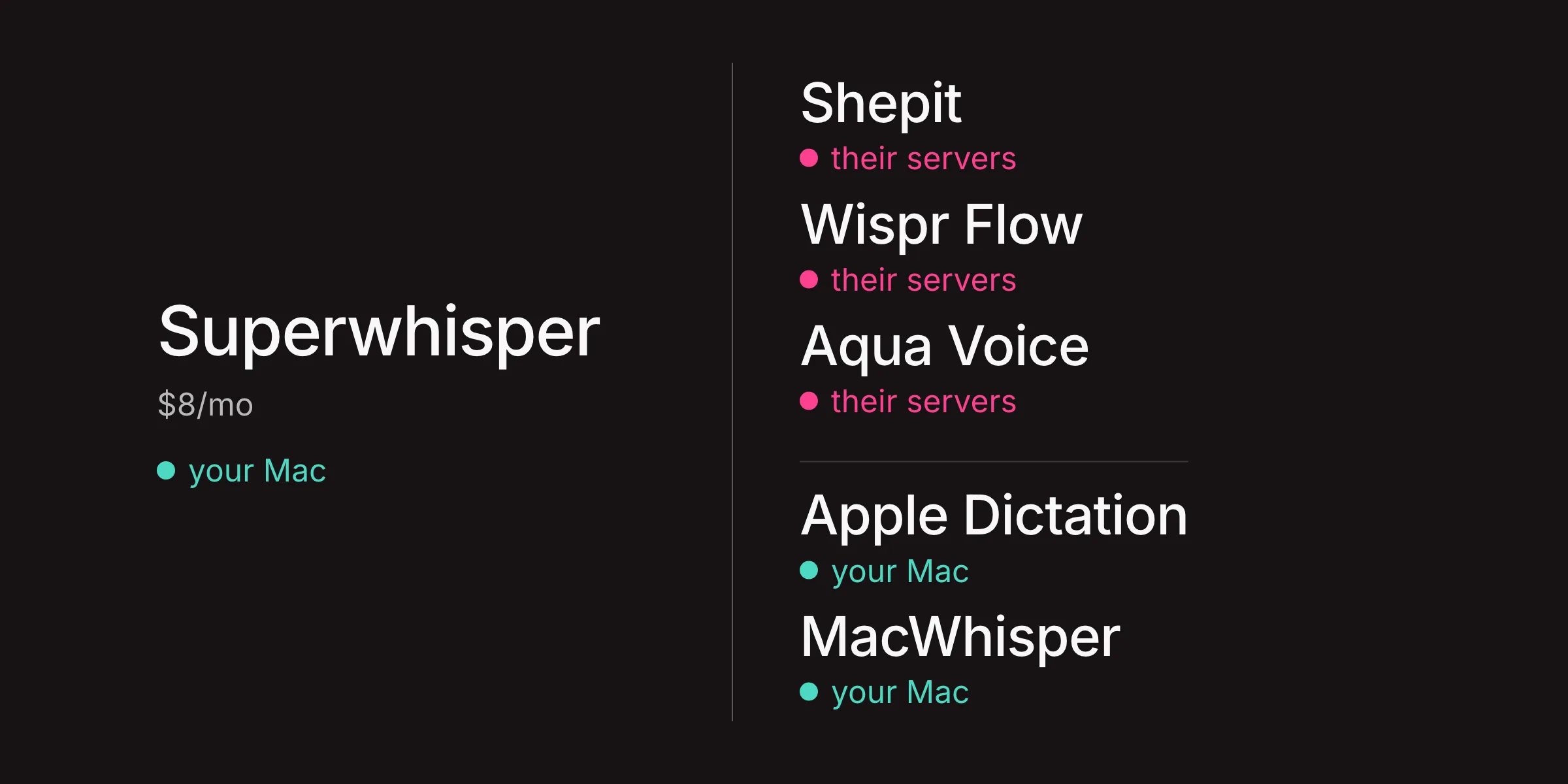
Some of it. Apple Dictation works offline for languages on its on-device list. Superwhisper Free, MacWhisper Free, Handy and Buzz run locally. Shepit, Wispr Flow and Aqua Voice need an internet connection. The full picture is in Best Offline and Private Dictation Apps for Mac.
Is free voice to text on Mac private?
Local apps keep audio on your Mac. Apple Dictation keeps it local for on-device languages; for the rest, audio goes to Apple and is not stored unless you opt in to Improve Siri & Dictation. Cloud apps, Shepit included, send audio to their servers; Shepit does not keep audio on its servers after transcription.
Which free apps need an Apple silicon Mac?
Shepit needs Apple silicon (M1 or later) and macOS 26 or later. Recent Buzz versions and VoiceInk also require Apple silicon, and Superwhisper says its local models only run well on it.